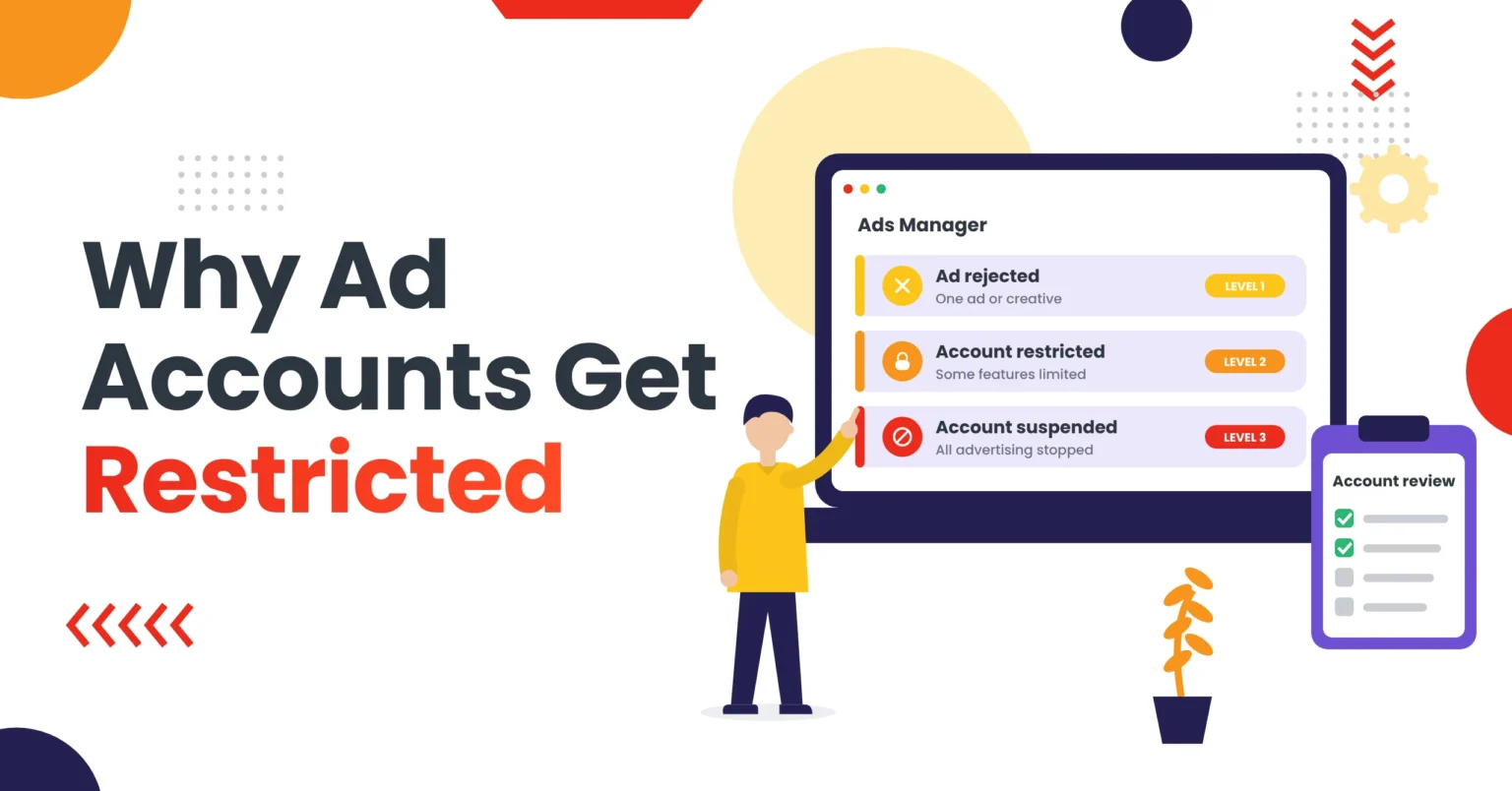
When an ad account is restricted, campaigns can stop, account features can be limited, and advertisers face real uncertainty. However, this is different from a single rejected ad because the issue may affect the whole advertising account rather than one creative or campaign.
Advertising platforms may restrict accounts for policy violations, billing problems, suspicious activity, landing-page issues, or repeated policy warnings. However, the exact reason can vary by platform, offer, target country, and account history.
This guide explains why ad accounts get restricted, how ad rejection differs from account suspension, and what advertisers can review before submitting an appeal.
An ad account gets restricted when an advertising platform limits some or all of its activity, usually because of policy violations, billing or payment problems, suspicious account activity, landing-page issues, or repeated policy warnings. To respond, first secure the account, find the likely cause, fix visible issues, and submit one clear, factual appeal.
Key Takeaways
- A rejected ad affects one asset. A restricted account limits account-level features. A suspended account stops all advertising.
- The most common causes are policy violations, billing problems, account-integrity concerns, landing-page issues, and misleading business information.
- Secure admin access and enable two-factor authentication before you appeal.
- Do not create replacement accounts or send multiple conflicting appeals. Submit one factual, evidence-backed appeal.
- Prevent repeat restrictions with consistent business details, accurate billing, and pre-launch landing-page reviews.
What Does an Ad Account Restriction Mean?
An ad account restriction means an advertising platform has limited some or all advertising activity on an account. As a result, the restriction may affect campaign creation, spending, pixel access, billing, or the ability to run existing ads. For example, Google explains each suspension type in its account suspensions overview, and Meta covers restricted assets in its guide to troubleshooting a disabled or restricted account.
A restriction is broader than a rejected ad. For example, a rejected ad usually relates to one creative, landing page, targeting setting, or policy issue. In contrast, an account restriction can affect multiple campaigns and account features.
For example, advertising platforms may restrict an account when they identify policy violations, billing or payment problems, or suspicious account activity. Similarly, landing-page or destination issues, repeated ad rejections, misleading business information, intellectual property concerns, and security or access issues can all lead to a restriction.
Ad Rejection vs Account Restriction vs Account Suspension
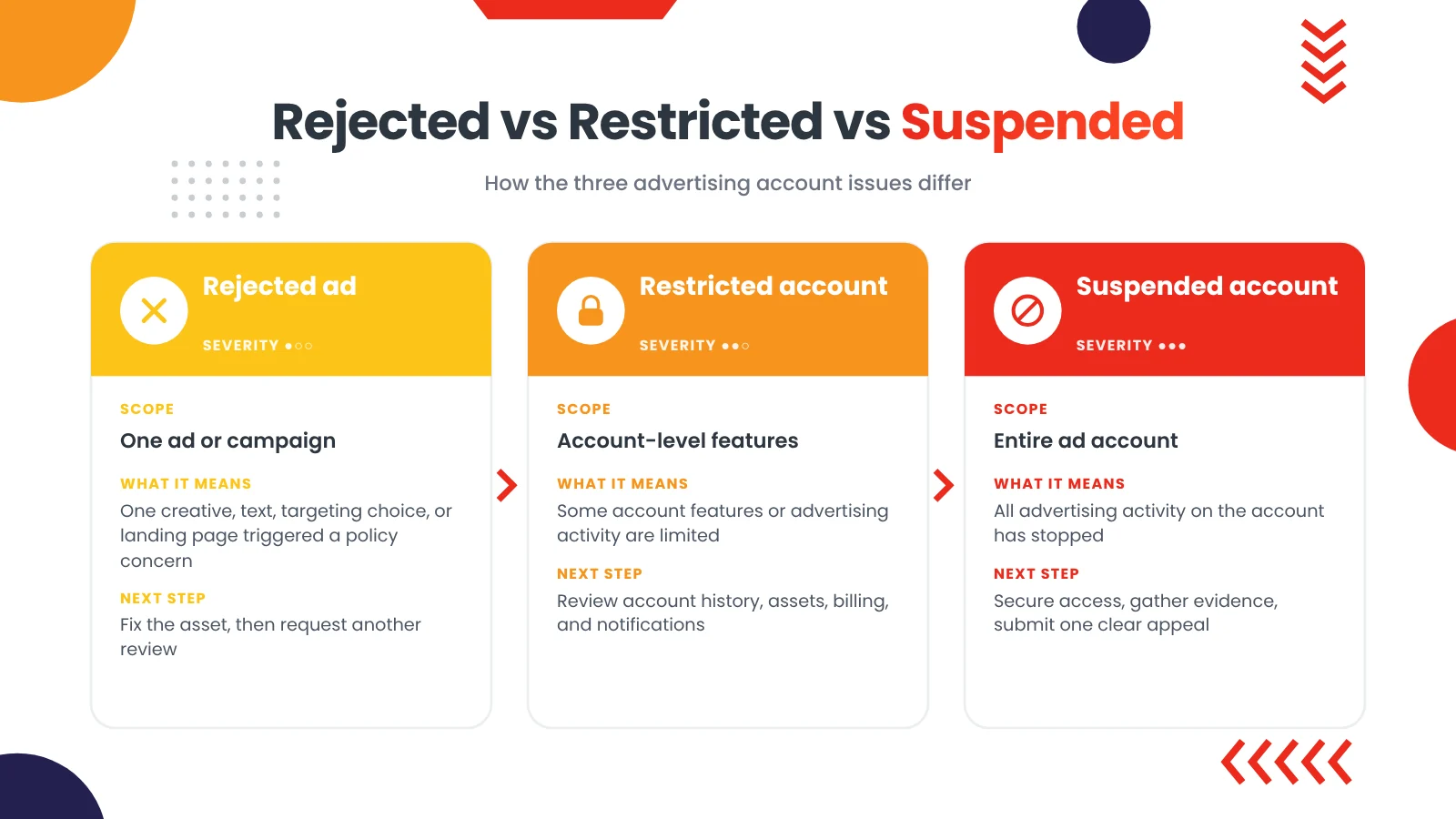
Although these terms are related, they do not mean the same thing.
| Issue | What it usually means | Typical scope | Recommended next step |
|---|---|---|---|
| Ad rejected | One ad, creative, text element, targeting choice, or landing page triggered a policy concern | One ad or campaign | Review the rejection message, correct the asset, then request another review |
| Campaign not delivering | Budget, audience, learning phase, creative quality, or policy issue may limit delivery | One campaign or ad set | Review delivery diagnostics, targeting, creative, and landing page |
| Account restricted | The platform has limited some account features or advertising activity | Account-level features may be limited | Review account history, business assets, billing, and notifications |
| Account suspended | The platform has suspended advertising activity for the account | Entire ad account | Secure access, review account history, gather evidence, and submit an appeal |
TikTok, for example, explains that a suspended ad account can stop all ads, limit access to features such as pixel transfers, and restrict the ability to create new ad accounts or add funds. (Source: TikTok Ads Help Center)
Why Ad Accounts Get Restricted
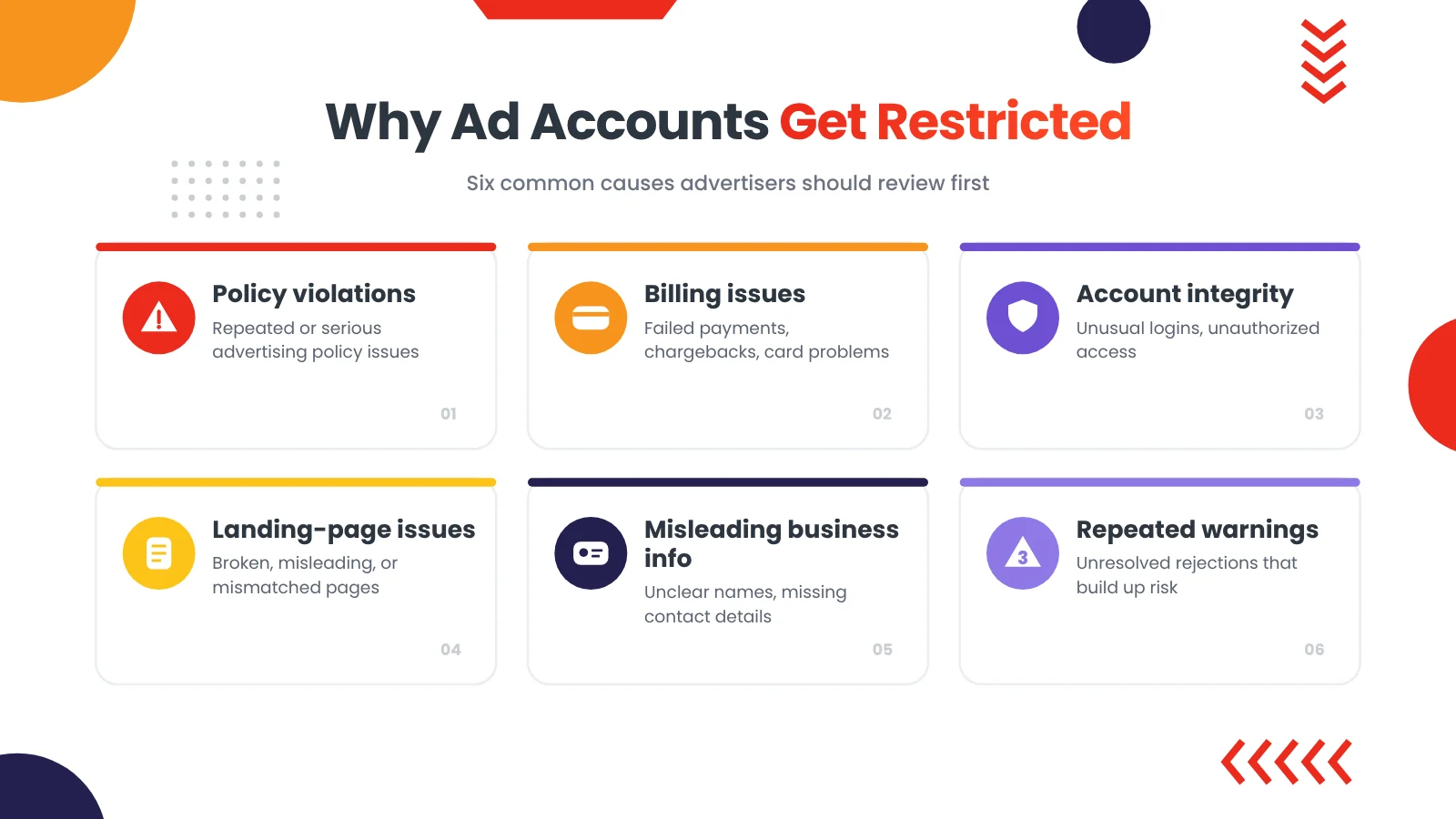
Ad accounts can be restricted for several reasons. For example, the issue is sometimes clear, such as a failed payment. However, the notice is often general and requires a careful review of the account, campaigns, and business assets.
Advertising Policy Violations
Platforms may restrict accounts after repeated or serious advertising policy violations. Therefore, review the Google Ads policies and Meta Advertising Standards before you launch. Common issue areas include:
- Misleading or exaggerated claims
- Restricted products or services
- Personal-attribute language
- Before-and-after imagery
- Poor landing-page experience
- Ad-to-landing-page mismatch
- Misleading pricing or subscription terms
- Circumventing platform review systems
Billing and Payment Problems
Similarly, payment failures, declined cards, chargebacks, or inconsistent billing details can create account issues.
Therefore, review your payment method status, billing country and currency, card expiry date, and failed payments. In addition, check billing notifications, invoices and receipts, and any chargebacks or payment disputes.
In fact, Google identifies billing and payment requirements, policy requirements, and unauthorized account activity as common reasons for account suspension. (Source: Google Ads Community Guide)
Account Integrity and Security Concerns
Platforms monitor advertiser behavior to protect users and prevent abuse. For example, account-integrity concerns can include unusual login activity, unauthorized access, suspicious payment behavior, or patterns associated with policy evasion. Unusual click and traffic patterns can also affect account trust; see traffic filtering explained.
In addition, review recent logins and connected devices, admin and partner access, and Business Manager or business-center roles. Also confirm two-factor authentication, connected pages and social accounts, and domain ownership and website access.
Landing-Page and Destination Issues
The landing page is part of the advertising experience. Therefore, if the page is broken, misleading, incomplete, or inconsistent with the ads, it can create policy risk. For example, Google’s destination requirements explain what makes a landing page acceptable.
Review:
- HTTPS and page security
- Mobile usability
- Page speed
- Broken links
- Contact details
- Privacy policy
- Terms and conditions
- Refund, return, shipping, or fulfilment information
- Product claims and disclaimers
- Ad-to-page consistency
For instance, TikTok notes that changing an ad landing page after creating a campaign can be one reason for account suspension. (Source: TikTok Ads Help Center)
Misleading Business Information
Users should be able to understand who is behind an offer. As a result, unclear business names, missing contact details, mismatched website information, or inconsistent branding can create trust and policy concerns.
Similarly, review the business name, business address, website domain, and contact information. Also check the admin identity, business verification status, and connected pages and social accounts.
Intellectual Property Issues
Using trademarks, copyrighted material, or branded assets without permission can create account risk. In addition, platforms may remove content or suspend accounts after valid intellectual-property complaints. (Source: TikTok Ads Intellectual Property Policy)
Check for:
- Competitor brand names in ad copy
- Unauthorized logos
- Copyrighted images or videos
- Misleading use of branded terms
- Trademark complaints
Repeated Policy Warnings
One rejected ad does not always lead to an account restriction. However, repeated warnings, unresolved issues, or continued policy problems can increase risk.
For this reason, keep a record of rejected ads, policy warnings, landing-page changes, and campaign changes. Also keep track of appeal submissions and platform responses.
First Steps When Your Ad Account Is Restricted
Do not create a new ad account immediately or submit multiple appeals with conflicting information. First, understand the issue and secure the account.
Step 1: Read the Notification Carefully
First, check Ads Manager, Business Manager, email notifications, and account-quality messages.
Look for wording such as:
- “Policy violation”
- “Unacceptable business practices”
- “Circumventing systems”
- “Restricted content”
- “Payment issue”
- “Account integrity”
- “Suspicious activity”
- “Landing page issue”
Although the exact wording may be general, it helps you decide what evidence and corrections to prepare.
Step 2: Secure Account Access
Before appealing, make sure the account is secure.
- First, change the password if there is any sign of unauthorized access
- Next, enable two-factor authentication
- Then review recent login activity
- Also remove unknown admins, partners, or employees
- After that, review business-center roles
- In addition, check connected pages and social accounts
- Finally, confirm that the business email and phone number are current
Step 3: Review Billing and Payment Details
Check whether the issue may be payment-related.
- First, open billing and payments
- Next, review failed payments
- Then check the payment method
- Also confirm billing country and currency
- In addition, update expired card details
- After that, review invoices and receipts
- Finally, check for chargebacks or payment disputes
Step 4: Review Business Assets
Next, check the assets connected to the ad account, such as your business manager or business center, social media pages, and website domain. In addition, review your pixel or tracking dataset, product catalog, apps and integrations, and admin and partner access.
In addition, make sure the business name, website, contact details, and page information are consistent.
Step 5: Audit Recent Campaigns
Finally, review the campaigns that were running before the account issue.
In particular, look for rejected ads, policy warnings, restricted products, exaggerated claims, and personal-attribute language. Also look for before-and-after imagery, landing-page mismatches, broken links, poor mobile experience, and unusual targeting settings.
Then create a simple record of the campaign name, ad name, landing-page URL, and target country. Also note the rejection or warning message, the changes made, and the date of each change.
As a result, this record can help you prepare a clearer appeal.
Account Review Checklist
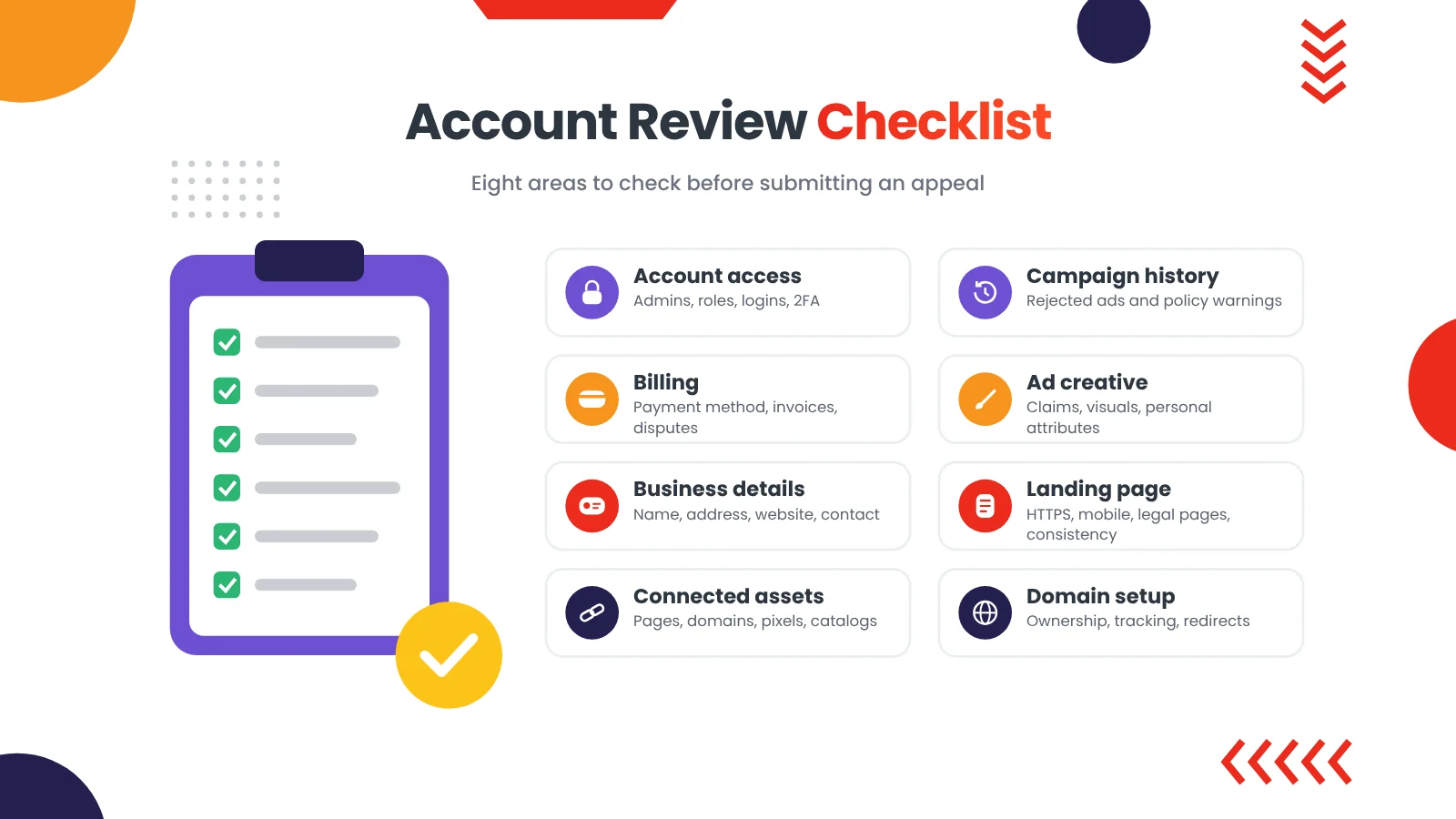
Use this checklist to identify visible issues before contacting the platform.
| Area | What to review |
|---|---|
| Account access | Admins, partners, roles, recent logins, two-factor authentication |
| Billing | Payment method, failed payments, billing country, invoices, chargebacks |
| Business details | Business name, address, website, contact details, verification status |
| Connected assets | Pages, social accounts, domains, pixels, catalogs, apps |
| Campaign history | Rejected ads, policy warnings, restricted products, repeated issues |
| Ad creative | Claims, personal attributes, before-and-after imagery, misleading visuals |
| Landing page | HTTPS, mobile usability, contact details, legal pages, ad-to-page consistency |
| Domain setup | Domain ownership, website access, tracking setup, redirect behavior |
How to Prepare an Ad Account Appeal
A strong appeal is factual, specific, and supported by evidence. Therefore, avoid emotional language, threats, or repeated submissions.
What to Include in an Appeal
Include only information that is relevant and accurate:
- Ad account ID
- Business name
- Website URL
- Description of the issue
- Corrections already made
- Evidence of business legitimacy
- Billing or payment resolution, if relevant
- Explanation of any prior policy issue
- Request for review
What Evidence May Help
Depending on the issue, useful evidence can include:
- Business registration documents
- Website ownership proof
- Domain registration details
- Invoices or receipts
- Product information
- Terms, privacy, refund, and shipping pages
- Screenshots of corrected landing pages
- Screenshots of corrected ad creative
- Payment-resolution confirmation
Do not submit private information that the platform has not requested. Instead, share only what is relevant to the review.
What to Avoid in an Appeal
Avoid:
- Submitting multiple appeals at once
- Sending conflicting explanations
- Creating replacement accounts immediately
- Using another person’s identity or business details
- Making exaggerated claims
- Submitting unrelated documents
- Repeating the same appeal without changes
Ad Account Appeal Checklist
Use this checklist before submitting:
- First, read the account-quality notification
- Next, confirm whether the issue is billing, policy, or account integrity
- Then secure admin access and enable two-factor authentication
- Also remove unknown users or partners
- After that, review billing details and resolve payment failures
- Check business name, website, and contact information
- In addition, review connected pages, domains, and pixels
- Then audit recent campaigns and rejected ads
- Correct visible landing-page issues
- Correct visible creative or copy issues
- Finally, prepare factual evidence
- Submit one clear appeal
- Afterward, wait for the platform’s response before submitting another appeal
How to Prevent Future Ad Account Restrictions
Use this checklist before launching or scaling campaigns:
- Use consistent business information across the account, page, and website
- Verify the business where required, such as Google advertiser verification or Meta business verification
- Keep billing details accurate and up to date
- Secure admin access with two-factor authentication
- Remove unused or unknown partners
- Review landing pages before scaling your ad spend
- Make sure the ad matches the landing page (see why Facebook ads are not converting)
- Avoid exaggerated or unsupported claims
- Remove personal-attribute language
- Check product eligibility in every target country
- Monitor rejected ads and policy warnings
- Keep documentation of campaign changes and approvals
When Professional Support Helps
Some advertisers can resolve an account issue internally. However, others need a structured review, especially when the account supports multiple campaigns, pages, domains, or restricted categories. Advertisers in categories like crypto or CBD can also read how campaigns in restricted niches are planned.
For example, professional support can help with an account-readiness review, a campaign and creative audit, and a landing-page transparency review. It can also cover business and domain review, billing and account-issue organization, appeal-document preparation, and prioritized next steps.
Cloaker Agency helps advertisers understand traffic-routing concepts, landing-page quality, campaign-readiness issues, and restricted advertising challenges. Explore our ads cloaking services to learn more about our advertising support options. If you are unsure where to start, contact Cloaker Agency for a campaign-readiness review. In addition, we support campaigns on Google Ads, Facebook Ads, TikTok Ads, YouTube Ads, Snapchat Ads, and Pinterest Ads.
Ad Account Restriction FAQs
Why do ad accounts get restricted?
Ad accounts can be restricted because of advertising policy violations, billing problems, suspicious activity, landing-page issues, repeated policy warnings, or concerns about business integrity.
What is the difference between a rejected ad and a restricted ad account?
A rejected ad usually affects one creative, text element, targeting setting, or landing page. In contrast, a restricted ad account is broader and can affect multiple campaigns, account features, or billing activity.
Does a rejected ad mean my account will be suspended?
Not always. A rejected ad is usually limited to one asset or campaign. However, repeated policy issues can increase account risk, so correct the likely cause before resubmitting.
Can I appeal a restricted ad account?
Many platforms allow advertisers to submit an appeal. However, before appealing, secure the account, review billing and business details, correct visible campaign or landing-page issues, and prepare factual evidence.
Should I create a new ad account after a restriction?
Creating a new account does not address the underlying issue and can create additional risk if the original problem remains unresolved. Instead, focus on securing the existing account, reviewing the issue, and submitting a clear appeal.
How long does an ad account appeal take?
Review times vary by platform, issue type, account history, and review volume. For example, some cases receive a response quickly, while others may take longer.
Important: Platforms Make the Final Decision
Advertising platforms independently review accounts and may update their policies, eligibility requirements, or enforcement methods at any time. Therefore, Cloaker Agency does not guarantee ad approval, account reinstatement, campaign delivery, account longevity, or specific performance results.
Instead, our role is to help clients improve campaign readiness, identify avoidable issues, and understand practical advertising requirements.
Last updated: October 2026
Final Takeaway
An ad account restriction requires a careful review of account access, billing, business assets, campaign history, creative, and landing pages. Therefore, do not rush into repeated appeals or new accounts.
First, secure the account. Next, identify the likely issue, correct visible problems, gather relevant evidence, and submit one clear, factual appeal. Finally, if the issue continues, a structured account and campaign review can help you identify avoidable risks.
For broader advertising support, explore Cloaker Agency, or browse more advertising guides on our blog.